Accountants, Raise Your Glasses! Smart View Has Landed in Google Workspace!
Nadia Lodroman | Oracle EPM Consultant | Integrity in Every Insight.
Listen to Tresora and Ledgeron's chatting about this blog post:
Smart View Goes Google: Liberation for Finance Teams!
- Need to dissect those budget variances? Open Google Sheets and dive straight into your Oracle EPM data with the familiar power of Smart View, no more clunky exports or platform switching.
- Crafting your monthly management pack? Picture the collaborative synergy of Google Slides, now seamlessly infused with real-time EPM insights via Smart View. Dynamic presentations, built together, in a secure environment.
- Tired of the hardware divide? Finally, finance professionals can fully embrace the organization's move to secure and stylish Apple Macbooks, leveraging Smart View directly within their Google Workspace environment.
- Enterprise Profitability and Cost Management
- Financial Consolidation and Close
- FreeForm
- Planning
- Tax Reporting
- Performance may vary due to additional processing on Google's servers.
- The user interface is currently only available in English.
- Oracle recommends using Standard mode for the Smart View Ad Hoc Behavior setting.
Turning financial complexity into operational clarity. Because in Finance, Integrity is Permanent.
General EPM Strategy FAQs
Why should a company use EPM Automate instead of custom scripting
EPM Automate allows for robust, bi-directional data orchestration between Oracle EPM and source ERPs (like NetSuite or Fusion) using native capabilities. It is highly scalable, easier to maintain during Oracle's monthly updates, and avoids the fragility of heavy custom coding.
Can Oracle Cloud EPM integrate with multiple different ERPs simultaneously?
Yes. Through strategic data pipeline architecture, Oracle EPM can ingest, consolidate, and even write-back finalized data to multiple disparate ERPs concurrently, acting as the single source of truth for the enterprise.
How does Oracle FCCS handle Minority Interest (NCI) and CTA?
While standard FCCS provides out-of-the-box functionality, complex global enterprises often require advanced configuration to isolate and calculate Minority Interest (NCI) and Cumulative Translation Adjustments (CTA) accurately at the top consolidated hierarchy without relying on manual journals.
Can you bypass the out-of-the-box Goodwill calculation in Oracle FCCS?
Yes. By utilizing advanced native configuration and custom consolidation rules, you can bypass standard Goodwill Input/Offset functionality to meet highly specific, non-standard acquisition accounting requirements.
How many daily transactions can Oracle ARCS process?
Oracle ARCS is built for enterprise scale. With proper architecture in the Transaction Matching engine, ARCS can easily process and auto-match hundreds of thousands of daily banking transactions, representing billions of dollars in value.
What is the difference between Transaction Matching and Reconciliation Compliance in ARCS?
Transaction Matching automates the high-volume, line-by-line matching of data (like daily bank feeds or ACH). Reconciliation Compliance is used to govern the period-end justification of broader balance sheet account balances.
Does Oracle TRC handle Country-by-Country Reporting (CbCR)?
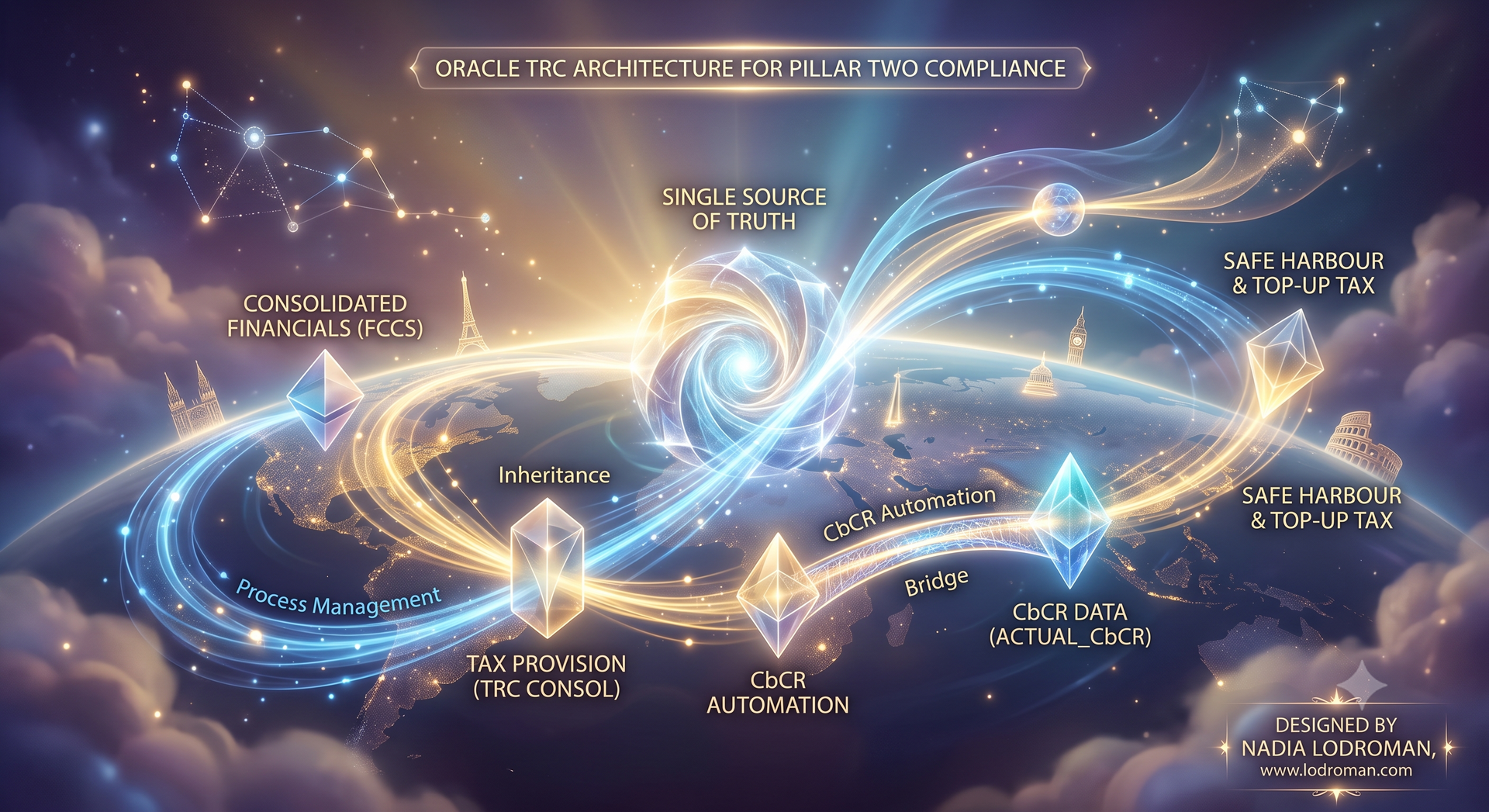
Yes. Oracle Tax Reporting Cloud (TRC) provides built-in frameworks to automate Country-by-Country Reporting, ensuring multinational organizations remain compliant with global BEPS (Base Erosion and Profit Shifting) regulations.
How does Oracle TRC integrate with FCCS?
TRC and FCCS share the same platform architecture, allowing for seamless data flow. Finalized pre-tax consolidated data from FCCS feeds directly into TRC for tax provisioning, ensuring perfect alignment between the finance and tax departments.
Still have a question?
All things Oracle EPM